1.4 Your first time
Your tutor sets up your account before the first session, and they do not know your password. Nobody does until you choose it. So the first time:
- Step 1.
Type your student ID, and leave the Password box empty.
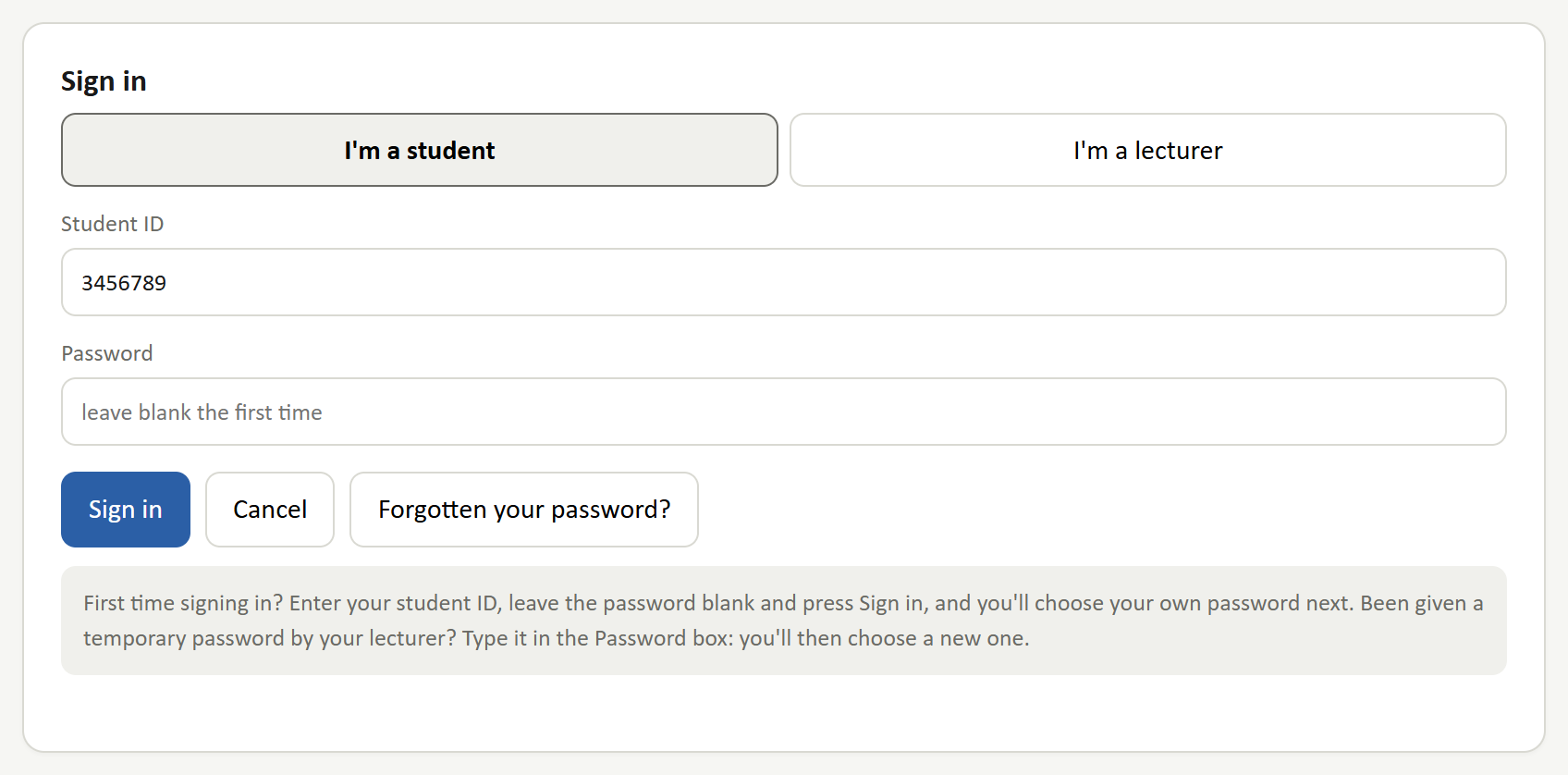
Figure 1.4. First time: type your ID and leave the password empty. - Step 2.Press Sign in. The page changes to Set your password.
- Step 3.Type a new password of at least 8 characters, and type it again in Confirm password.
- Step 4.Type your email address in Your email address. This box is required. It lets your tutor’s replies reach you when you email them from the tool, and it helps if you forget your password.
- Step 5.
Press Set password & sign in.
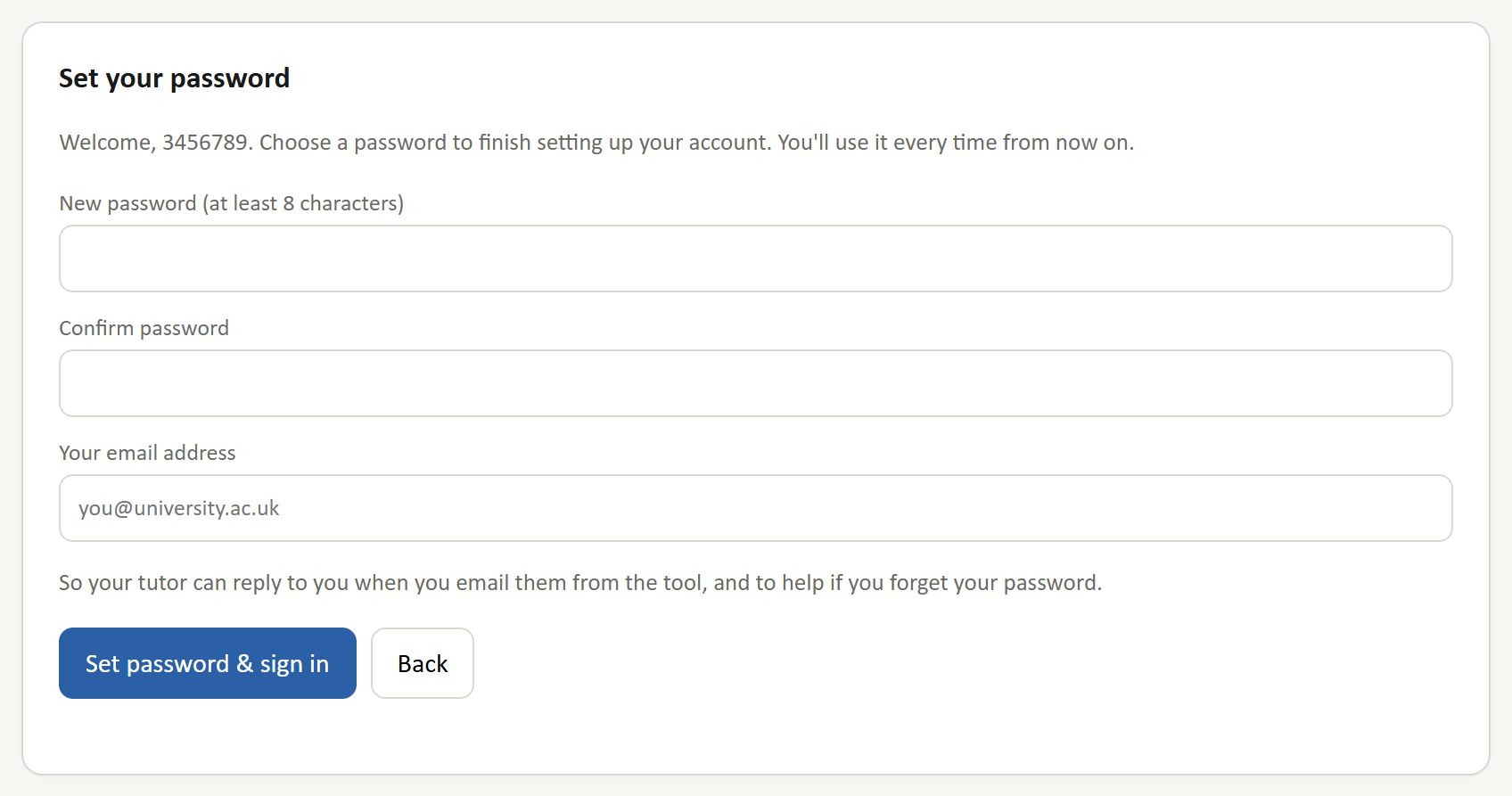
Figure 1.5. Choosing your own password and giving your email address.
You are now signed in. Back returns you to the sign-in box without setting anything. From then on you sign in with your ID and your own password.
Tip
Choose a password you will remember, and one you do not use anywhere else. Nobody, including your tutor, can read your password.