Chapter 2: The screen
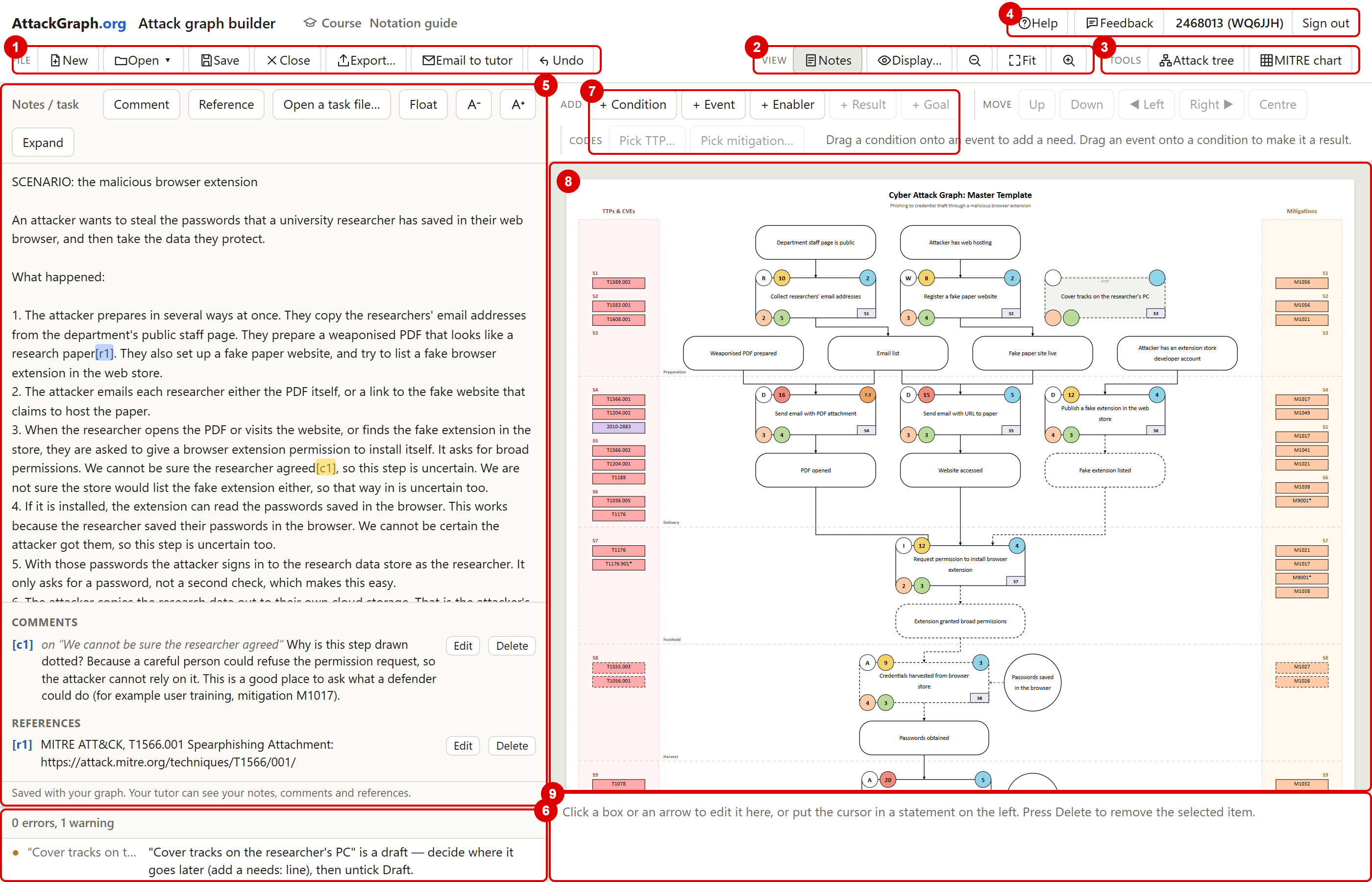
When you are signed in, the builder opens on one screen with everything you need. This chapter names each part of that screen, so that when later chapters say “the toolbar” or “the notes pane” you know where to look. Figure 2.1 shows the whole screen with nine parts marked by red numbers. The graph in the picture is the standard worked example that comes with the tool.